Once approved by OHRM for paid parental leave,you will be able to enter a paid parental leave absence request in the system and utilize your eligible paid parental leave balance (up to 480 hours per year).
Enter paid parental absence request
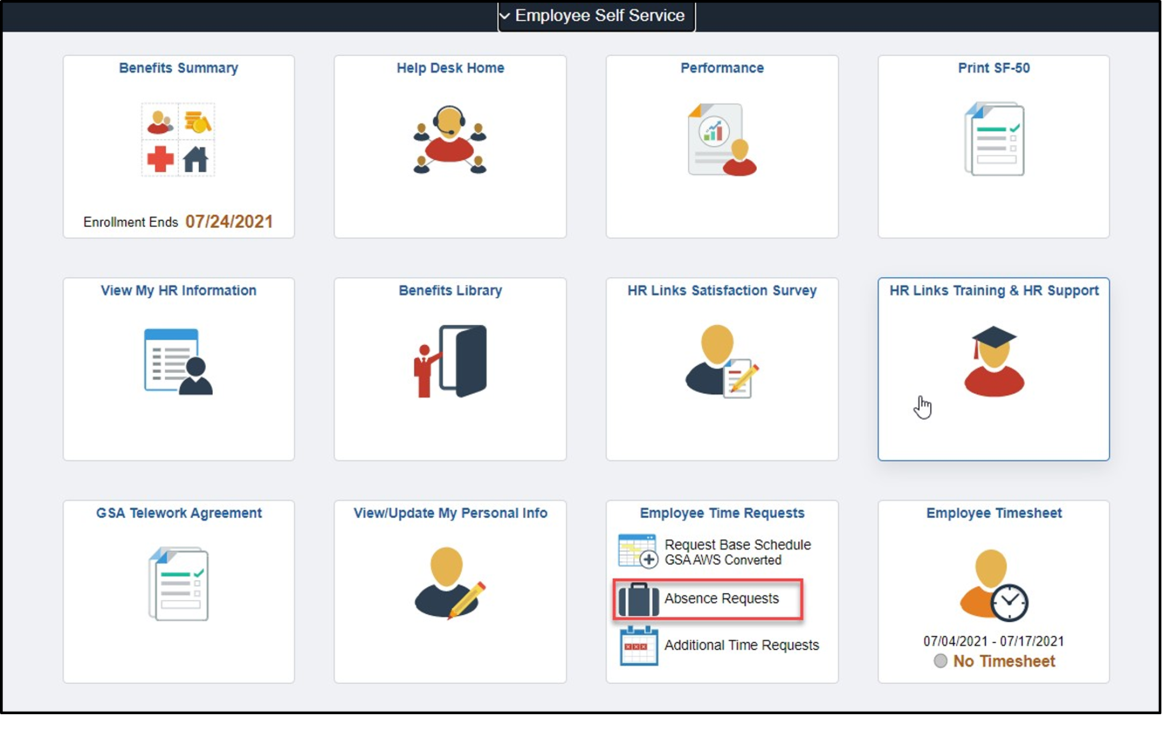
From the Employee Self Service homepage, click on the Absence Request link in the Employee Time Request tile.
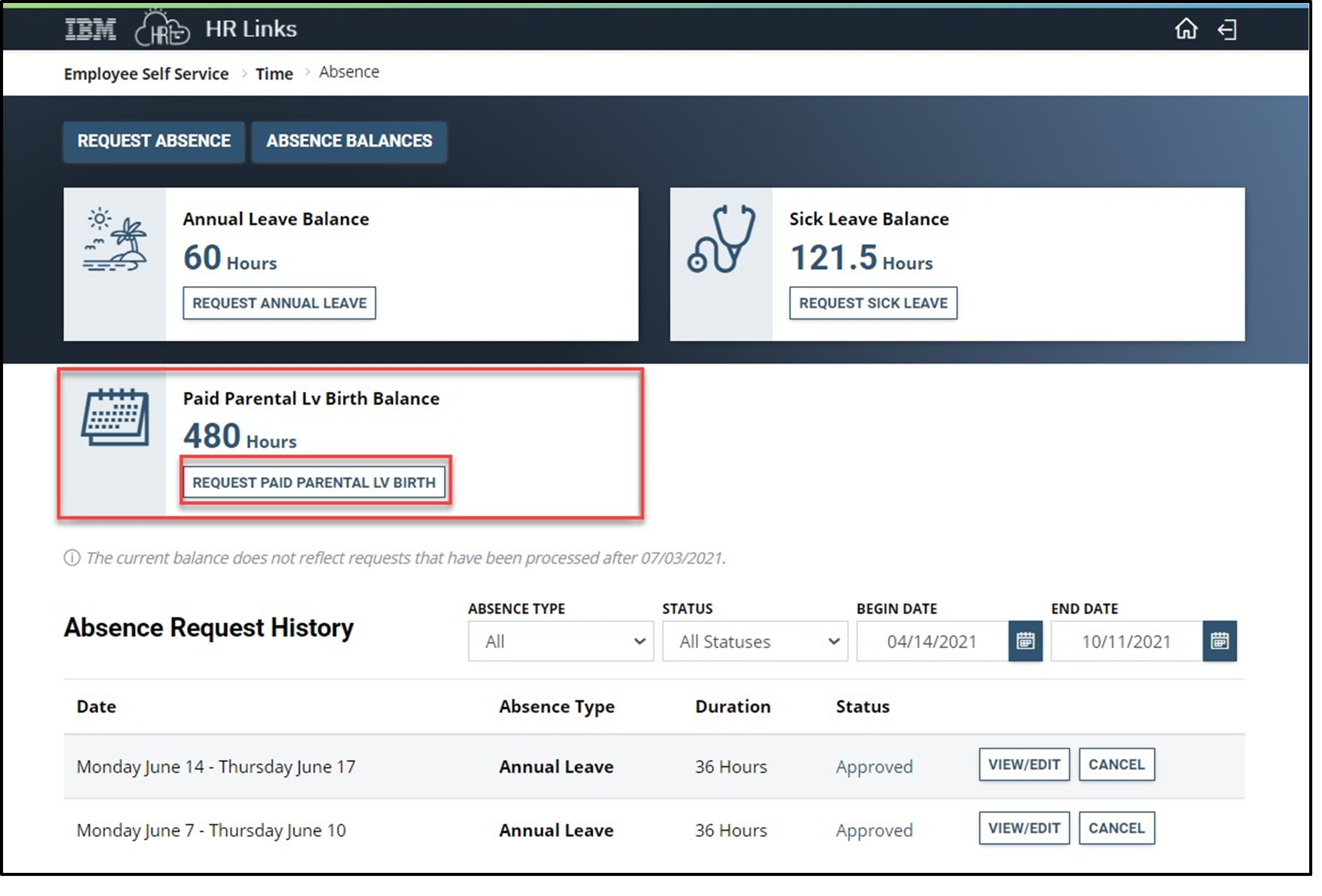
Select the Request Paid Parental Leave button within the Paid Parental Leave Balance tile to enter a request.
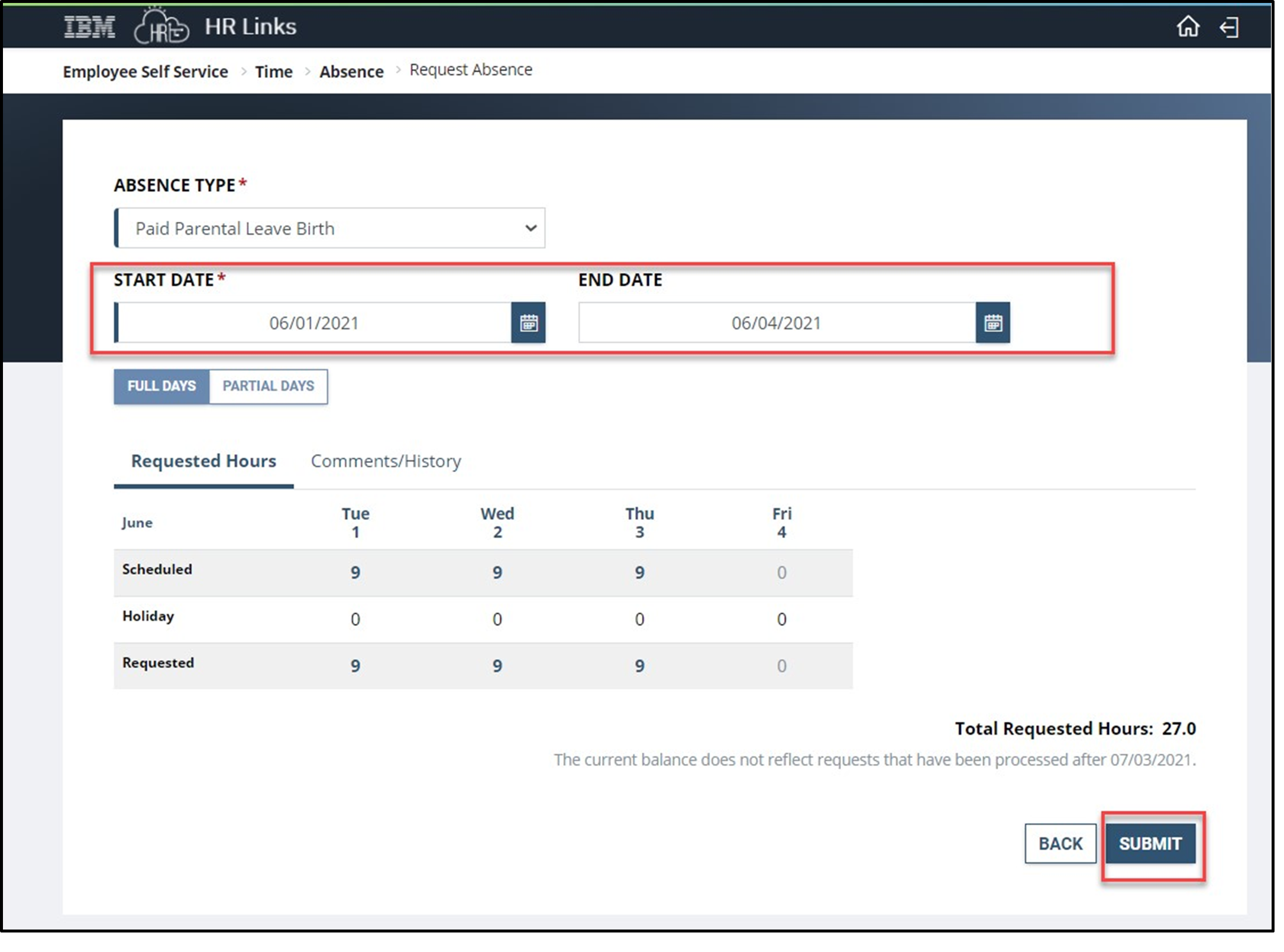
Enter the Start and End Date of the Paid Parental Leave Absence Request. Select Submit.
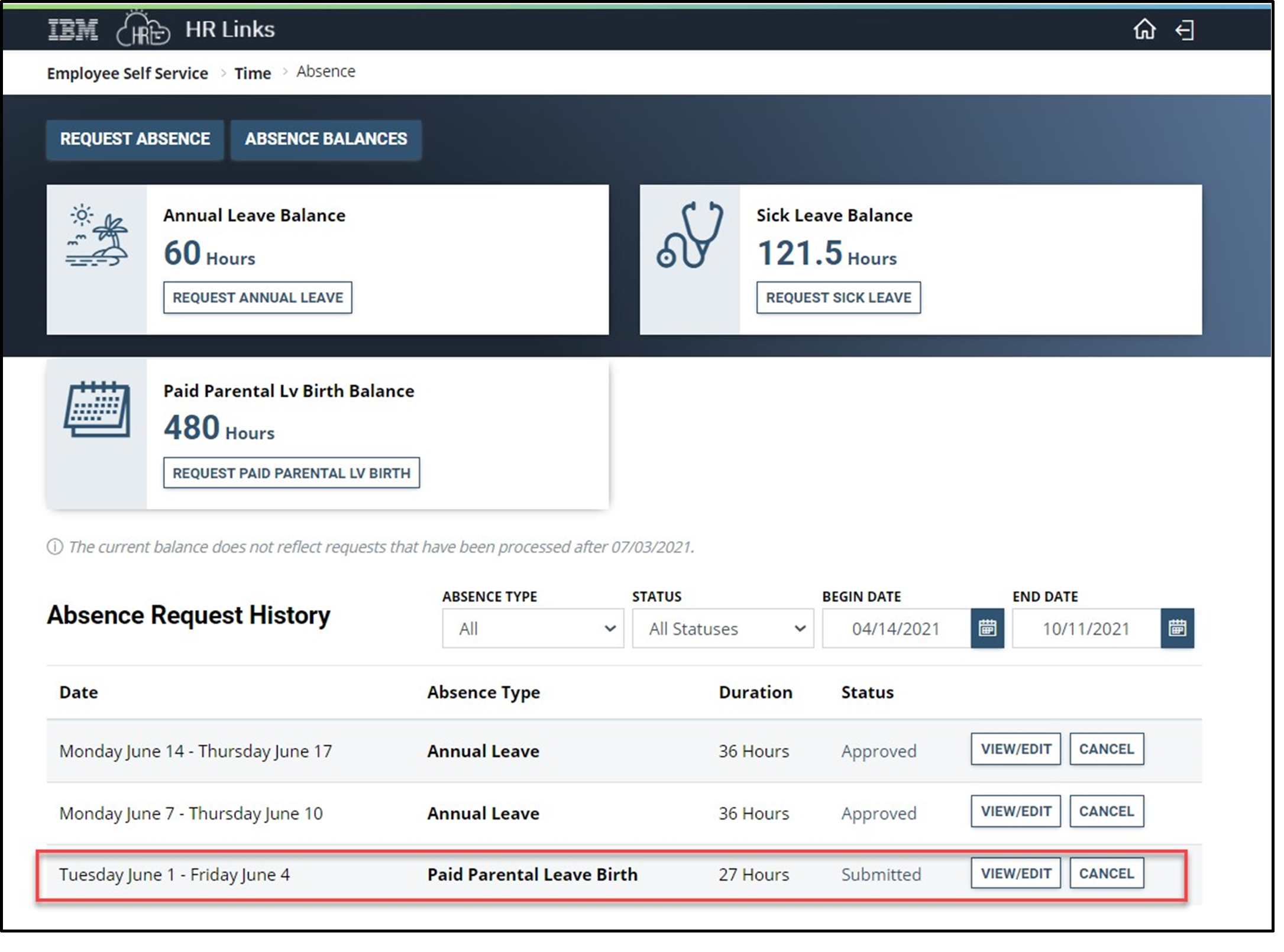
View your submitted Paid Parental Leave Absence request in your Absence Request history. Select View/Edit button to make adjustments to your submitted absence request. View this guide on how to Edit an Absence Request. Select cancel if you would like to cancel this absence request. View this guide on how to Cancel an Absence Request.


 U.S. General Services Administration